
Black spots on different monitors
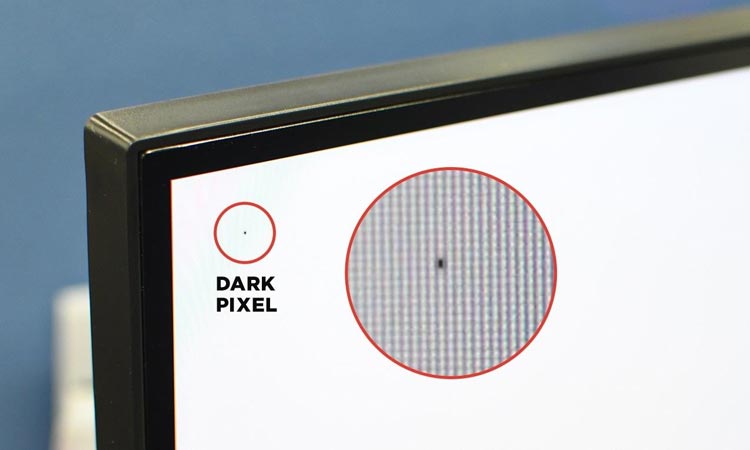
Black spots on laptop screens
- One or more small black spots may appear, distorted and appearing black in any image, significantly affecting the aesthetics of computer use and causing image blurring, resulting in a poor user experience.
- The location and size of the black spots may vary slightly.
- Radiating patterns appear around the black spots; this pattern may disappear or worsen over time and may change when pressed.
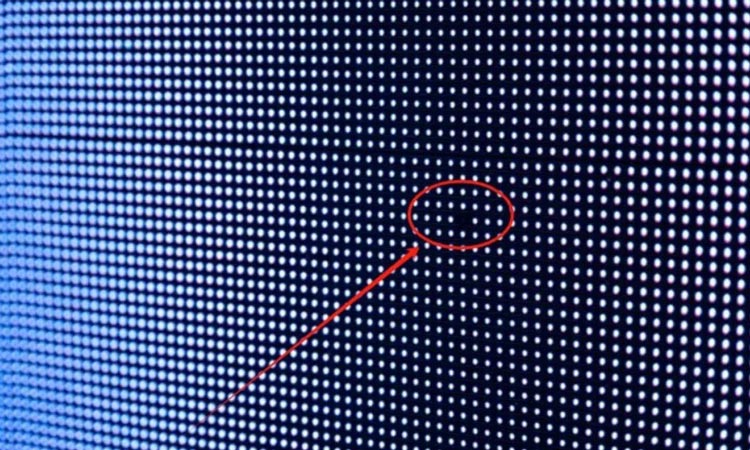
Black dots on an LED screen
- One pixel is completely black, while surrounding pixels remain lit normally.
- The black dot appears and disappears intermittently; tapping the screen causes it to change.
- Several black dots appear together in an area.
- Black dots with blurred edges and irregular sizes.
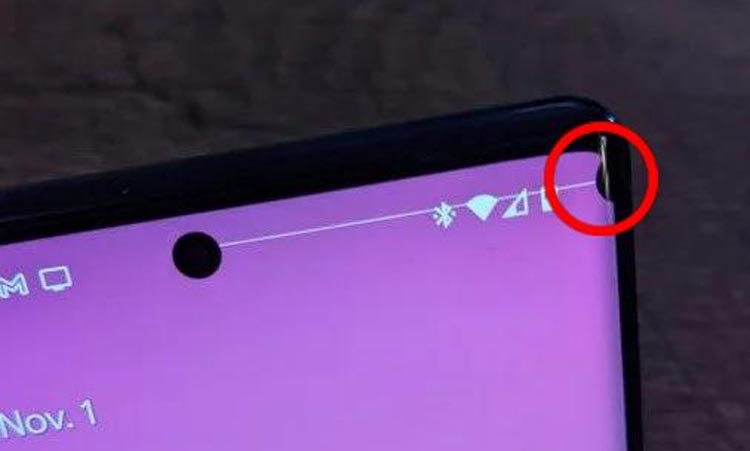
Black spots on the phone screen
- Liquid leakage from the mobile phone screen
- Small black dots on the mobile phone screen
- Dust inside the backlight of old LCD mobile phones
- Dust inside the screen protector
Causes of black spots on laptop screens
Dead pixels / Dark spots
- LCD pixel aging or damage
- The subpixels (red/green/blue) corresponding to the black dot are invalid.
- There may be defects or physical extrusion during the manufacturing process.
Dust/Foreign Objects
- Poor screen sealing allowed dust to get in.
- Air bubbles were formed when the film was applied.
- Moisture got into the backlight panel due to aging.
Liquid crystal leakage/black spots
When the screen is subjected to impact or heavy pressure, the liquid crystal layer will be damaged, resulting in black spots and liquid leakage.
How to fix black spots on a laptop screen using a DIY method?
Step 1: Check the screen and identify the cause.
You can make your own judgment based on the specific circumstances of the black spots appearing on your laptop screen, and on the reasons and characteristics described above.
Step Two: DIY Method to Repair Black Spots on a Laptop Screen
Prepare tools at home
- A microfiber cloth, or a regular eyeglass cloth, will suffice.
- Soft-tipped cotton swabs or your own fingertips
- 40℃ hot towel
- Solid color test chart
DIY Repair Methods
- Software Repair Method: Open repair software, such as JScreenFix or Dead Pixel Buddy, and align the flashing area with the black dot. Let the software run for 20-40 minutes, then turn off the device and observe whether the white dot has disappeared on a completely black screen.
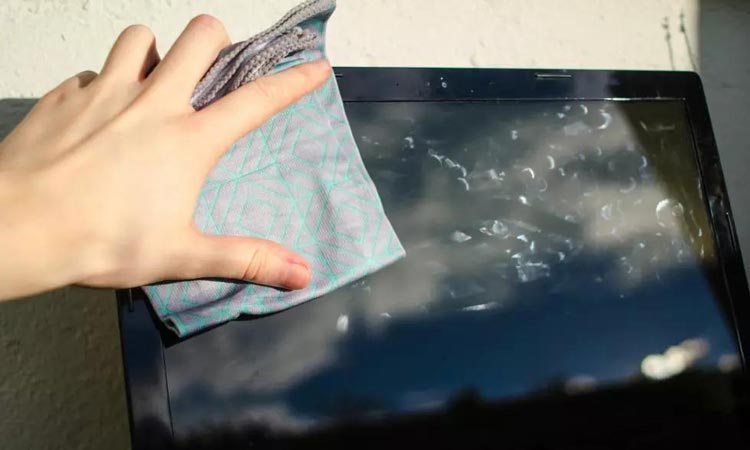
- Gentle pressing repair method: Turn off the computer. Use your fingertip or the rounded end of a cotton swab to vertically aim at the black spot and gently press and release at an even speed. Do not rub or knead from side to side! Press for 3-5 seconds and then release. Repeat 10 times.
- Hot compress and pressure method: Turn off the computer and let the screen cool. Wipe the screen with a hot towel at approximately 40°C, then wring it out until no more water drips out. Hold the screen cleaning cloth at a distance of 30 seconds from the black spot, start the test, and repeat 2-3 times.
Step 3: Within the warranty period, contact the brand's after-sales service directly for a free screen replacement.
For expensive or large-sized laptop screens, professional display black spot repair is the safest and most cost-effective solution.
Reasons for black spots on LED screens
| feature | reason |
| LED failure, dead LED | LED light beads break down age, chip failure, abnormal current, and electrostatic discharge. |
| Driver IC failure | Driver chip damaged |
| Module damage | The module was damaged by impact or water ingress, or the power supply voltage was insufficient. |
| Dust obscured | Poor sealing allows dust to get in. |
| Control system problems | Control card malfunction or signal interference |
How to fix black spots on an LED screen using a DIY method?
Step 1: First, check and determine if the LED black spot screen can be repaired by DIY.
- Pixel dark spots -- you can try DIY repair.
- Blurred edges on black spots, black patches from liquid leakage -- DIY repair is not recommended; screen replacement is the only option.
- Large areas of darkness and shadows -- DIY screen repair is not recommended.
Step Two: DIY Method for Repairing Black Spots on LED Screens
Prepare tools
- Precision hot air gun (temperature controllable, recommended 300-350°C)
- Antistatic tweezers (antistatic, bent tip)
- Low-temperature solder paste
- flux
- Spare LED chips: Must be completely identical to the original screen's specifications and packaging.
DIY Repair Methods
- To replace a single LED: Heat the faulty LED to approximately 240-260°C, then remove it. Clean the solder pads, insert the new LED, paying attention to its orientation, and then heat and solder it again.
- Module replacement: The entire module can be replaced directly using a suction cup (this is quite common).
- Reconnect the ribbon cable: After a power outage, open the enclosure, unplug the ribbon cable between the module and the receiver card, reconnect it securely, and then check.
Step 3: Find the original manufacturer's professional after-sales team
During the warranty period, contact the original manufacturer's after-sales service center to replace the screen.
Reasons for black spots appearing on the phone screen
| feature | reason |
| Dead pixels | Permanent damage to pixels |
| Liquid crystal leakage | Squeezing/impact causes the phone screen to crack |
| dust | Air bubbles in the screen protector, dust inside the earpiece, and the camera. |
| Backlight layer problem | Backlight module and light guide plate under pressure |
How to fix black spots on your phone screen using a DIY method?
Step 1: First, check and determine if the black spots on your phone screen can be repaired by yourself.
- LCD liquid leakage - DIY repair is not recommended; screen replacement is the only option.
- Backlight damage -- DIY repair is not recommended; professional disassembly is required.
- The main pixel is stuck – you can try DIY repair.
- Dust/screen protector - you can try DIY repair.
Step Two: DIY Method to Repair Black Spots on Your Phone Screen
Prepare tools
- Screen of the corresponding model
- Disassembly tool kit: Screwdrivers (pentagonal, triangular, Phillips)
- Sealant/waterproof tape: Ensures the stability of the screen after repair.
- Tempered glass screen protector
- A microfiber cloth, or a regular eyeglass cloth, will suffice.
DIY Repair Methods
- Replace your phone's tempered glass screen protector: Purchase a tempered glass screen protector that matches your phone model and reapply it.
- Software solution: Visit jscreenfix.com or any similar pixel repair tool, drag and drop the flickering window onto the bad pixel, and run it for 40 minutes to 2 hours, taking short breaks in between.
- Physical pressing method: Turn off the device and gently press the black spot with a soft cloth.
Step 3:Contact the official after-sales team
During the warranty period, you can get your screen replaced directly through the official website or an offline after-sales service center.
Frequently Asked Questions
- Q1: Will the black spots on the screen get worse over time?
- Yes
- Q2: How much does it cost to repair black spots on the screen?
The cost depends on the screen size and the extent of the damage.
- Q3: Can black spots be permanently removed?
Yes, if a specific problem can be identified with a specific cause and solution.
- Q4: Does a black spot necessarily mean the screen is broken?
Not necessarily, it depends on the situation and requires specific judgment.
- Q5: Are black spots a quality issue?
Not necessarily, it depends on the quantity. A small number of defects → meets industry standards (ISO standards); a large number/cluster of defects → quality issues.
in conclusion
Therefore, whether a black spot can be repaired depends on three key factors: whether it has spread, whether it is a single spot, and whether there is a contact issue. For laptop and mobile phone screens, using software repair and gentle pressing are low-cost DIY repair attempts. Within the warranty period, official after-sales service is preferred. For LED screens, replacing the screen and module can efficiently solve black spot problems and restore the screen's high-definition effect. Topviewled is an LED display manufacturer with 15 years of experience and can diagnose LED display problems free of charge. Welcome to contact us for LED repair solutions.
reference
- There's a black spot on my laptop screen. Is there any way to fix it? Reddit community forum
- Fatal physical damage! Demystifying dead pixels on LCD panels: Projection Era